YouTube Playlist Downloader for Windows
YouTube Playlist Downloader Plus is a free Windows program that downloads an entire YouTube playlist — or a whole channel — in one go. Paste the playlist link, tick the videos you want, and it saves them one after another as MP4 or MKV video, or as MP3 and other audio formats. If your internet drops halfway, it pauses and then continues from the exact point it stopped, instead of failing the rest of the playlist.
Download YouTube Playlist Downloader Plus
YouTube Playlist Downloader Plus 1.0
Released 13 October 2026
Windows 10 and 11 (64-bit) · 91.8 MB (.zip) · free, no installation
Check that your download is complete and unaltered
SHA-256 of YouTube-Playlist-Downloader-Plus-1.0-win-x64.zip:
d1a0e0c9675f9ce85ecc21358a72bc086526d0cd48e5846a9705e82bbae6447aIn PowerShell, in the folder you saved it to, run the command below. The result must match the value above exactly.
(Get-FileHash .\YouTube-Playlist-Downloader-Plus-1.0-win-x64.zip -Algorithm SHA256).Hash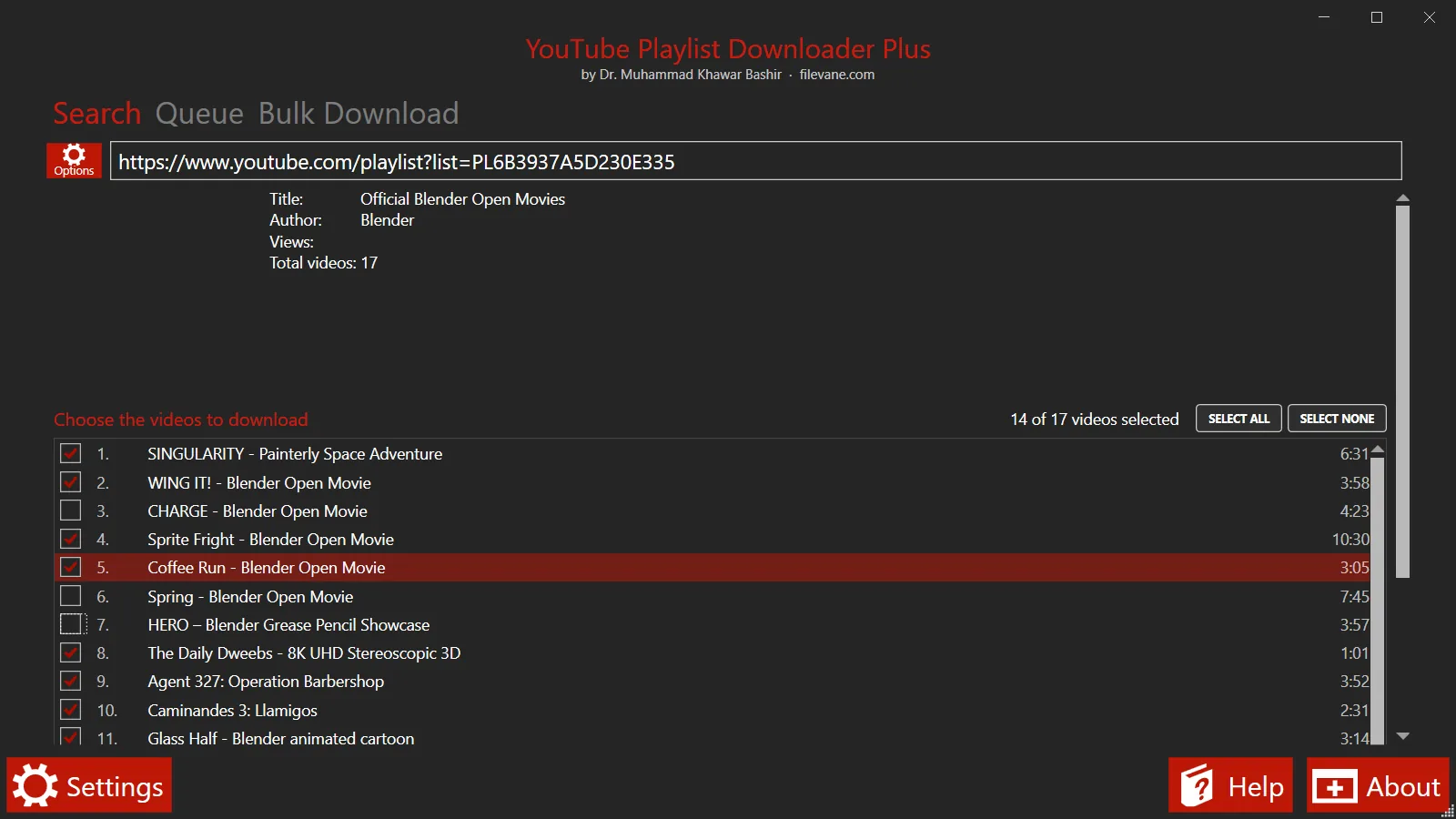
How to download a YouTube playlist
- Copy the playlist link. Open the playlist on YouTube and copy the address from the browser bar, or use Share → Copy. A playlist link contains
list=, for exampleyoutube.com/playlist?list=PL…. A link to a video that is playing inside a playlist works too. - Paste it into the program. The playlist's title, owner and number of videos appear, followed by a checklist of every video with its number and length.
- Choose the videos. All of them are ticked to start with. Untick the ones you do not want, or use Select none and tick just the ones you need.
- Choose the format. Click Options to pick MP4 or MKV video and the resolution, or switch to audio such as MP3 — see the two sections below.
- Press Download. Download shows progress on screen; Add to queue downloads in the background so you can paste the next playlist straight away. Files are saved to the folder chosen in Settings.
Download a YouTube playlist as MP3
In Options, tick Convert videos to and choose mp3 from the list. To fix the quality, also tick and set the bit rate to and enter a value such as 192 or 320 kbps. The program downloads only the audio track of each video and converts it, so it does not waste time or disk space on video it would throw away. The other audio formats offered are M4A, AAC, OPUS, OGG, FLAC, WAV and WEBM.
For music, leave Add tags and cover picture to audio files on: the artist and title are read from the video and written into the file together with a cover image, so the songs show up properly in music players. If you want the original audio exactly as YouTube stores it, with no conversion at all, tick Download clean audio, without converting to any format instead.
Download a YouTube playlist as MP4 video
Leave Convert videos to unticked and set Save videos as to mp4 (or mkv). Under Prefer videos with a resolution of pick the quality you want — from 144p up to 1080p, 1440p, 4K (2160p) and 8K (4320p) where the video offers it. If a video does not exist in the chosen resolution, the nearest available one is used. Tick Prefer videos with the highest FPS rate to favour 60 fps versions.
YouTube stores high-resolution video and its sound separately; the program downloads both and joins them into one file without re-encoding, so the picture keeps its original quality. Subtitles can be saved too: tick Download closed captions and choose the language. For videos that have several audio tracks, Video Language picks the one you want.
Download only some videos from a playlist
You do not have to take the whole playlist. The checklist shows every video with its position and length; tick one, several or all of them, and the count above the list tells you how many are selected. Holding Ctrl or Shift highlights several rows, and the space bar ticks or unticks all the highlighted rows at once.
Two options narrow a playlist further: Download from video number … until video number takes a range, and Only download videos longer or shorter than a number of minutes skips clips or long videos. Skip files that already exist lets you run the same playlist again later and fetch only the videos added since.
Download every video from a YouTube channel
Paste a channel link instead of a playlist link — a youtube.com/@name handle, a /channel/ address or an older /user/ address. All of the channel's uploads are listed in the same checklist, so you can take the whole channel or pick from it. A single video link works as well.
Download several playlists at once
The Bulk Download tab takes a list of links — one per line; playlists, single videos and channel links in the /channel/ or /user/ form can be mixed — and queues them all. Every playlist appears in the Queue tab with its own progress, a Pause/Resume button and a Delete button, and Pause all / Resume all control everything together. Turn on Save every playlist in a different folder to keep each playlist in its own folder.
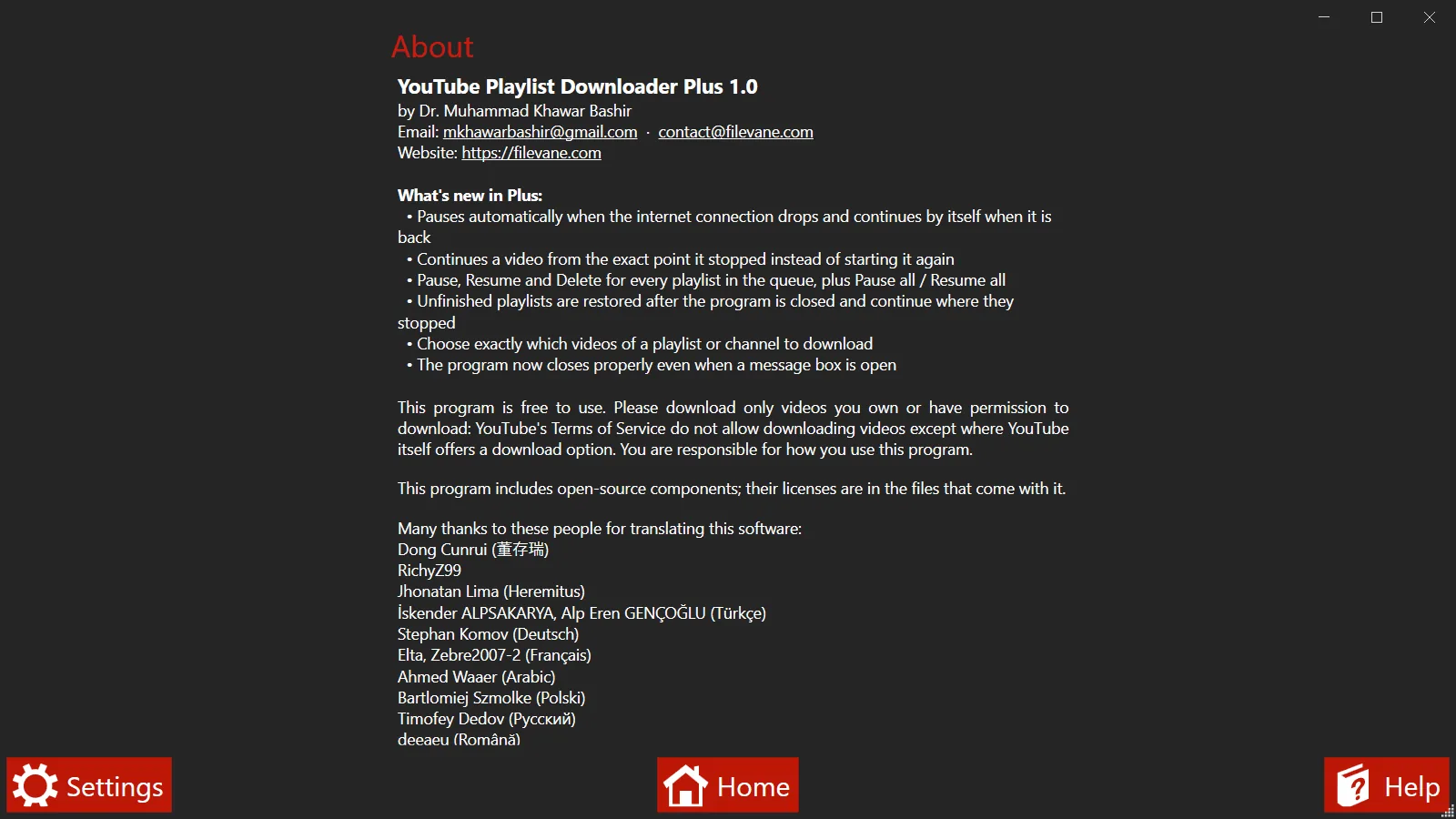
Resumes when your internet drops
This is the reason the program exists. A common failure in playlist downloaders is to treat a lost connection as a failed video and move on to the next one — which fails too — so a short outage can leave you with a “finished” playlist and almost nothing saved. Here, the moment the connection is lost the download pauses with the message “No internet connection – will continue automatically when it is back”.
The part already downloaded is kept on disk. When the connection returns, the same video continues from the byte it had reached rather than starting again, and the rest of the playlist follows. A transfer that stalls without any error is treated the same way after 45 seconds without data. If you close the program, the unfinished playlist is waiting in the queue the next time you open it.
Desktop program or online playlist downloader?
Many websites that offer to “download a YouTube playlist” fetch and convert each video on their own servers and then send you the result, often one file at a time or with a cap on how many videos a playlist may have. A desktop program downloads straight from YouTube to your computer, handles long playlists in one run, and can pause and resume, which a web page that loses its connection cannot.
If you are comfortable with the command line, the open-source tool yt-dlp is another excellent option and runs on Windows, Mac and Linux. YouTube Playlist Downloader Plus is for people who would rather paste a link and tick boxes.
System requirements
| Operating system | Windows 10 or Windows 11, 64-bit |
|---|---|
| Download size | 91.8 MB (.zip) |
| Disk space | About 150 MB for the program, plus space for your videos |
| Installation | None — unzip and run; no administrator rights needed |
| Other software | None — .NET and FFmpeg are included |
| Price | Free |
The first time you run it, Windows may show “Windows protected your PC”. That appears for new programs that are not yet code-signed. Click More info, then Run anyway — after checking the SHA-256 above if you want to be certain the file is the one published here.
What it connects to
This is a desktop program, not one of Filevane's browser tools, so it is not covered by the site's Content-Security-Policy. Here is everything it contacts:
- youtube.com, googlevideo.com, img.youtube.com — To read the playlist, fetch the video and audio streams you chose, and show thumbnails.
It sends no analytics, does not check for updates, has no account and shows no ads. Your settings and the list of unfinished downloads are stored only on your computer, in %AppData%\Youtube Playlist Downloader.
Frequently asked questions
Is it free?
Yes. There is no paid version, no trial period, no account and no limit on how many videos or playlists you download. There are no ads inside the program.
Is there a limit on how long a playlist can be?
The program sets no limit: every video in the playlist is listed, whether it has 5 videos or several hundred, and a whole channel can be listed the same way. Very long lists simply take a little longer to load before the checklist appears.
Can I download a private playlist?
No. The program does not sign in to YouTube, so it can only read playlists that anyone with the link can open — public and unlisted ones. Private playlists, and videos that need you to be signed in, cannot be downloaded.
Why did some videos in the playlist not download?
Videos that are deleted, private, blocked in your country or age-restricted can fail. When a playlist finishes, the program lists every video it could not download together with the reason, and offers to retry them. A failure caused by your internet connection is different: those are paused and retried automatically rather than skipped.
Will the files be numbered in playlist order?
Yes, if you want them to be. Set the File name pattern in Options to "$index - $title" and each file starts with its position in the playlist. The number is the video's real position, so if you download only videos 3, 7 and 12 they are still numbered 3, 7 and 12.
What happens if I close the program in the middle of a playlist?
Unfinished playlists are saved. The next time you open the program they reappear in the Queue tab and continue from the video they had reached; videos that were already finished are not downloaded again.
Does it work on Mac or Linux?
No. It is a Windows program and needs Windows 10 or Windows 11, 64-bit.
Is it safe to run?
Check that the SHA-256 of the file you downloaded matches the value published above — that proves you have exactly the file published here. Windows may still warn that the program is unrecognised, because it is new and not yet code-signed; that warning is about the publisher's reputation, not about anything found in the file.
Use it responsibly
Download only videos you own or have permission to download, such as your own uploads, lectures you have been given access to, or videos published under a licence that allows it. YouTube's Terms of Service do not allow downloading videos except where YouTube itself offers a download option. You are responsible for how you use this program.
Made by
Dr. Muhammad Khawar Bashir. Questions, problems and suggestions are welcome by email:
Open-source licences
The program includes open-source components: code under the Apache License 2.0, YoutubeExplode (LGPL-3.0), FFmpeg (LGPL/GPL), MahApps.Metro (MIT), Newtonsoft.Json (MIT), TagLib# (LGPL-2.1) and MoreLINQ (Apache-2.0). The licence texts are included in the download. It is provided as is, without warranty of any kind.